
General implementation principles
-
User Experience & Accessibility: Content must be presented in a clear, legible, and easily understandable manner. It is strongly recommended to follow standard platform design guidelines.
-
Accessibility Standards: The frontend implementation must comply with WCAG 2.1 (Level AA) standards. Compliance and execution are the sole responsibility of the integrating partner.
-
Medical Data Integrity:
Content generated by the medical device API must not be modified, rephrased, summarized, or filtered before being presented to the user (e.g., passing API outputs through an LLM/AI layer or custom transformation logic is strictly prohibited).
-
Reference Implementation: The XUND Web App serves as the gold standard benchmark throughout the integration process. When in doubt regarding UX or layout, refer to the Web App behavior.
-
Acceptance Testing: Following integration, XUND will conduct a mandatory Acceptance Test to verify correct, safe, and compliant implementation prior to production launch.
Terms of Use and Privacy Policy
To ensure regulatory and legal compliance, end-user consent must be explicitly collected:
-
The end-user must provide explicit consent to XUND’s Terms of Use (ToU) and Privacy Policy before utilizing the medical device features.
Implementation Options:
-
Integrating XUND’s ToU and Privacy Policy links directly into the host application's primary consent flow or
-
Displaying a standalone consent prompt prior to launching the XUND workflow.
Imprint & Medical Device Information
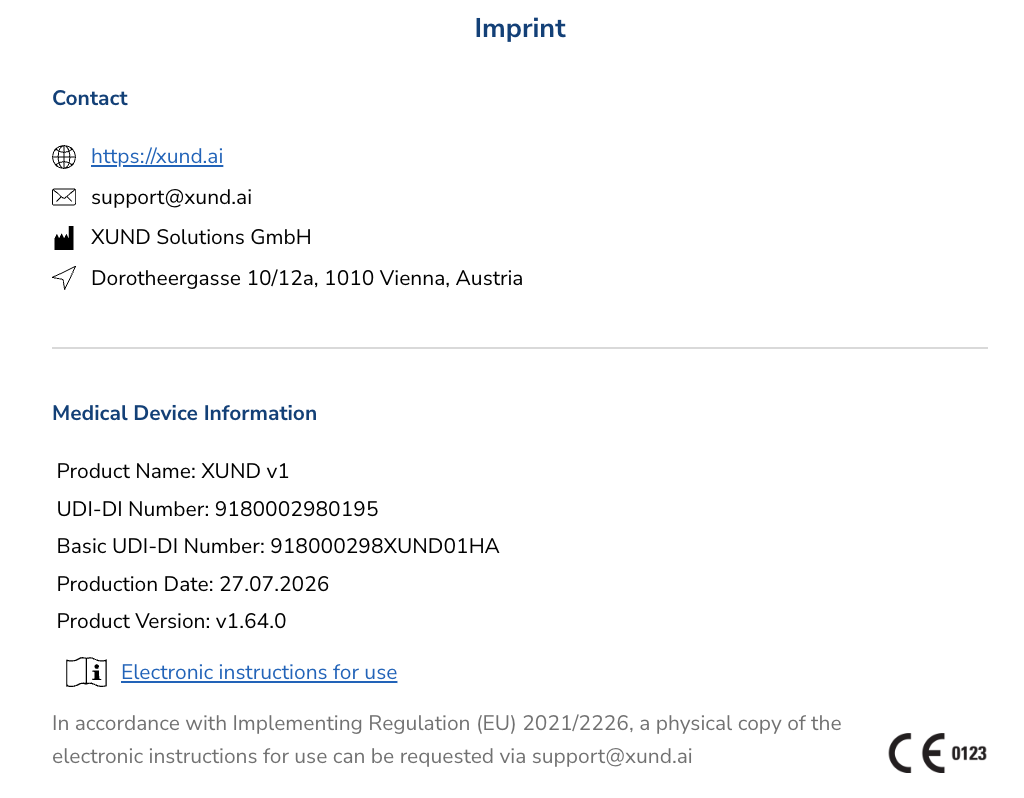
XUND Solutions GmbH must be explicitly named as the manufacturer of the medical device component within the host application's imprint/legal notice.
-
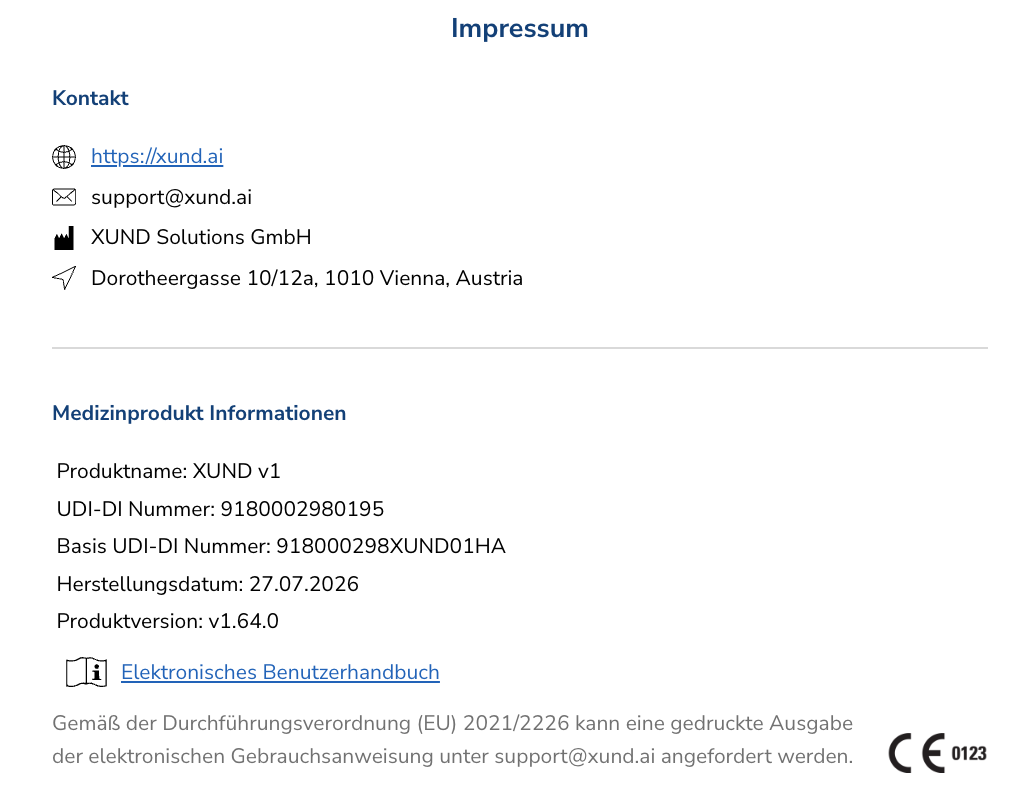
API Imprint Endpoint Integration: The API provides a dedicated imprint endpoint containing all required identification details, including manufacturer information, device certification, and versioning. All details within this endpoint must be rendered in full within the host application's legal and imprint section. Because these details may change across software updates and new releases, this information must be fetched and rendered dynamically rather than statically hardcoded. In addition to the data supplied by the endpoint, a clear note explaining how users can request or access a physical copy of the user manual must also be displayed (see screenshot).
-
Branding & Identification: It must be unmistakably clear to the user that XUND is the medical device manufacturer (e.g., incorporating a visible “Powered by XUND” badge/icon as shown in the Web App).
-
User Manual Access: The official User Manual URL provided via the API must be clearly linked and accessible to the user at all times.
Checkflow Architecture
a. Initialization
There are multiple options to initialize the check flow and leverage existing data to prefill information for the user.
The first option is to start a regular check with no prefilled data, guiding the user through the standard entry steps.
The second option allows the host application to pass age and biological sex as prefilled data, which skips the manual demographic questions in the flow. However, even when age is prefilled automatically, the system must still enforce the age verification rules.
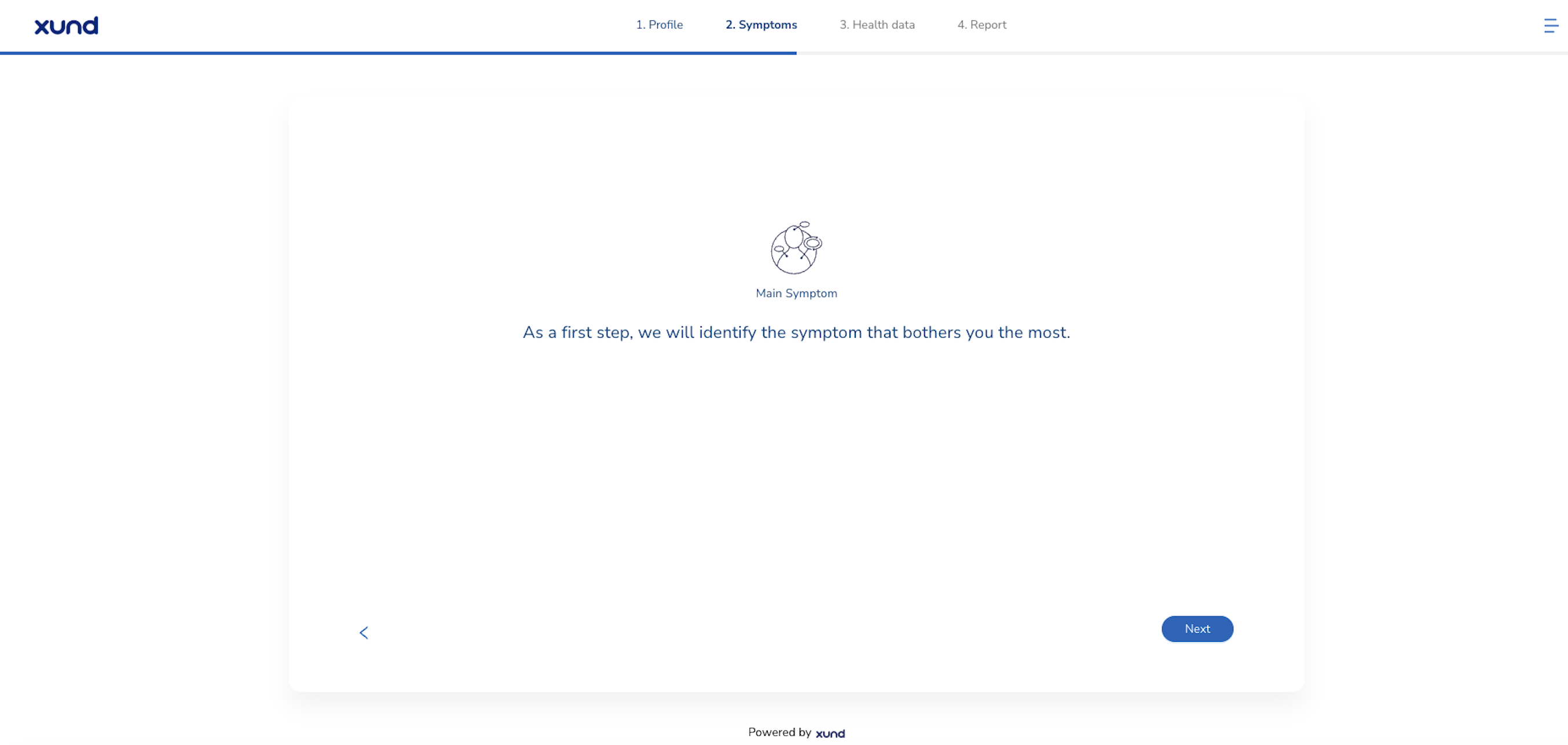
The third option uses an existing main symptom to start a symptom check, bypassing the question that asks the user to select their primary symptom.
The fourth option utilizes a preselected illness to initiate an illness check, skipping the initial selection screen for the target condition.
Integrating partners can also combine option two with either option three or option four to prefill demographic data alongside a starting symptom or illness. For specific technical details on setting up payload structures, please refer directly to the API documentation.
b. Target Audience & Age Verification Rules
Regulatory Notice: The use of the Symptom Checker / Health Check (SC/IC) is strictly intended for the following user groups:
10–15 years old: Allowed only under the supervision of a person aged 16 years or older.
16 years or older: Unrestricted intended use.
At the start of the check flow, when the user is prompted to enter their age, the system must enforce modal popups based on the age entered before proceeding:
Scenario A: Age Selected is Below 10 Years (< 10)
-
Trigger: User enters an age under 10.
-
Popup Text:
"This check is intended to be used for people aged 10 or older. Using it for children under 10 is outside the intended purpose and is considered off-label use. By continuing, you confirm that you use the check and its results at your own risk."
-
Action Buttons:
-
Cancel(Aborts flow or returns to age entry) -
Accept and continue(Proceeds with check flow)
-
Scenario B: Age Selected is Between 10 and 15 Years (10–15)
-
Trigger: User enters an age between 10 and 15 inclusive.
-
Popup Text:
"For this check, users aged 10–15 must be supervised by someone who is at least 16 years old. Please confirm that a supervisor aged 16 or older is present and has reviewed this information."
-
Action Buttons:
-
Cancel(Aborts flow or returns to age entry) -
Accept and continue(Proceeds with check flow)
-
c. Navigation & Flow Control
-
Step Backward (Back Buttons): Users must have the ability to go back to previous steps in the checkflow at any time using standard UX back buttons (e.g., to review or change previously entered information). The navigation control must mirror the behavior demonstrated in the reference XUND Web App.
d. Questions & answers flow
-
All questions and answer options must be presented exactly as defined by the API.
-
Options may be rendered using text-based or graphical UI components, provided they adhere strictly to the response type specifications dictated by the API.
e. Symptom overview screen
-
The overview screen displaying both selected and non-selected symptoms must be rendered when prompted by the API flow.
-
Visibility Rule: No selected or non-selected symptoms may be hidden from the overview list.
-
User Actions: Users must be empowered to add, edit, or remove symptoms directly from this list.
-
Mandatory Step: The overview page cannot be skipped automatically; it requires explicit user confirmation to proceed.
f. Disclaimers
-
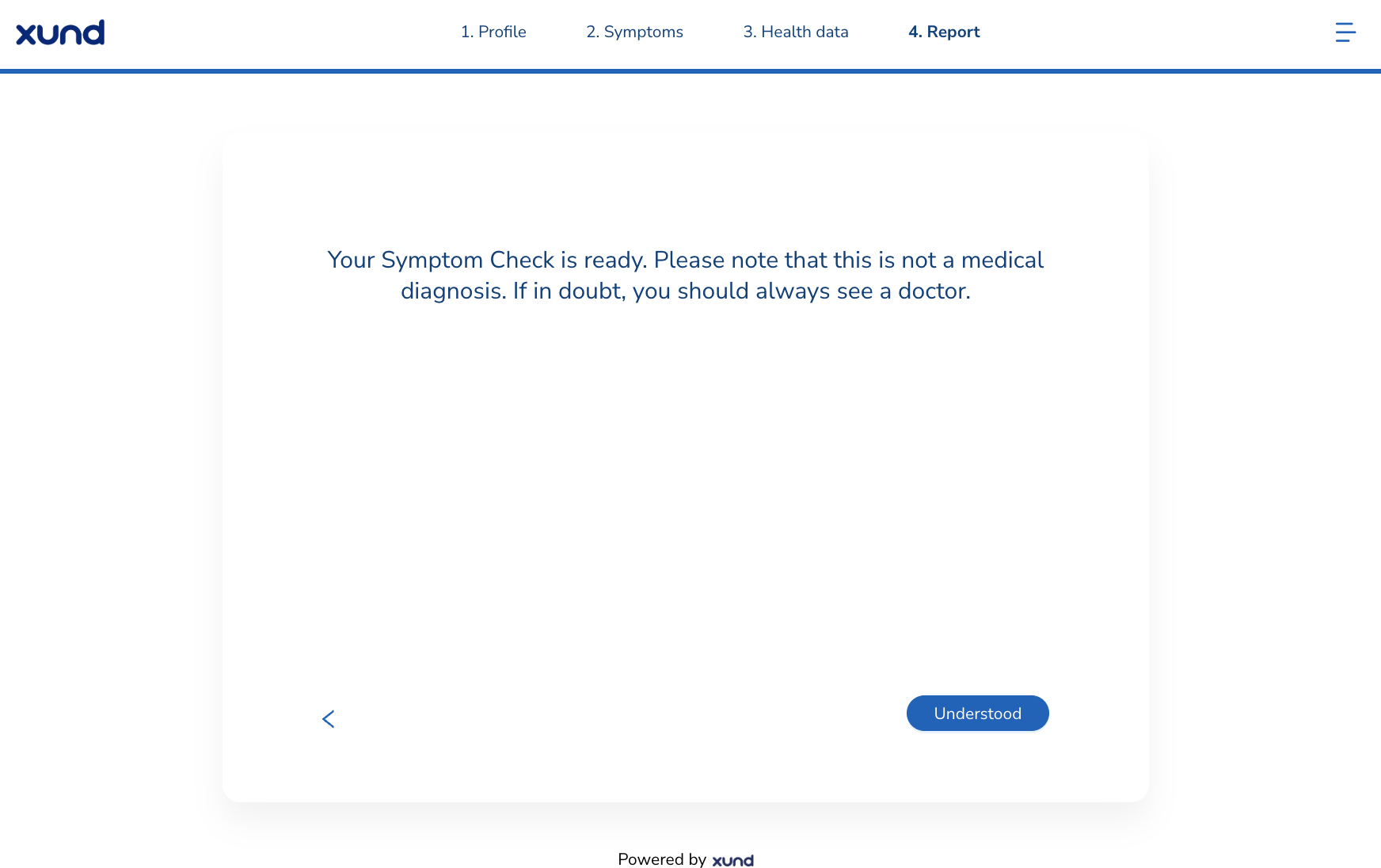
All legal and clinical disclaimers returned by the API must be displayed to the user.
-
The disclaimer screen cannot be bypassed or skipped automatically; explicit user acknowledgment is required.
-
titleandtextdata must be displayed
Warning Signs
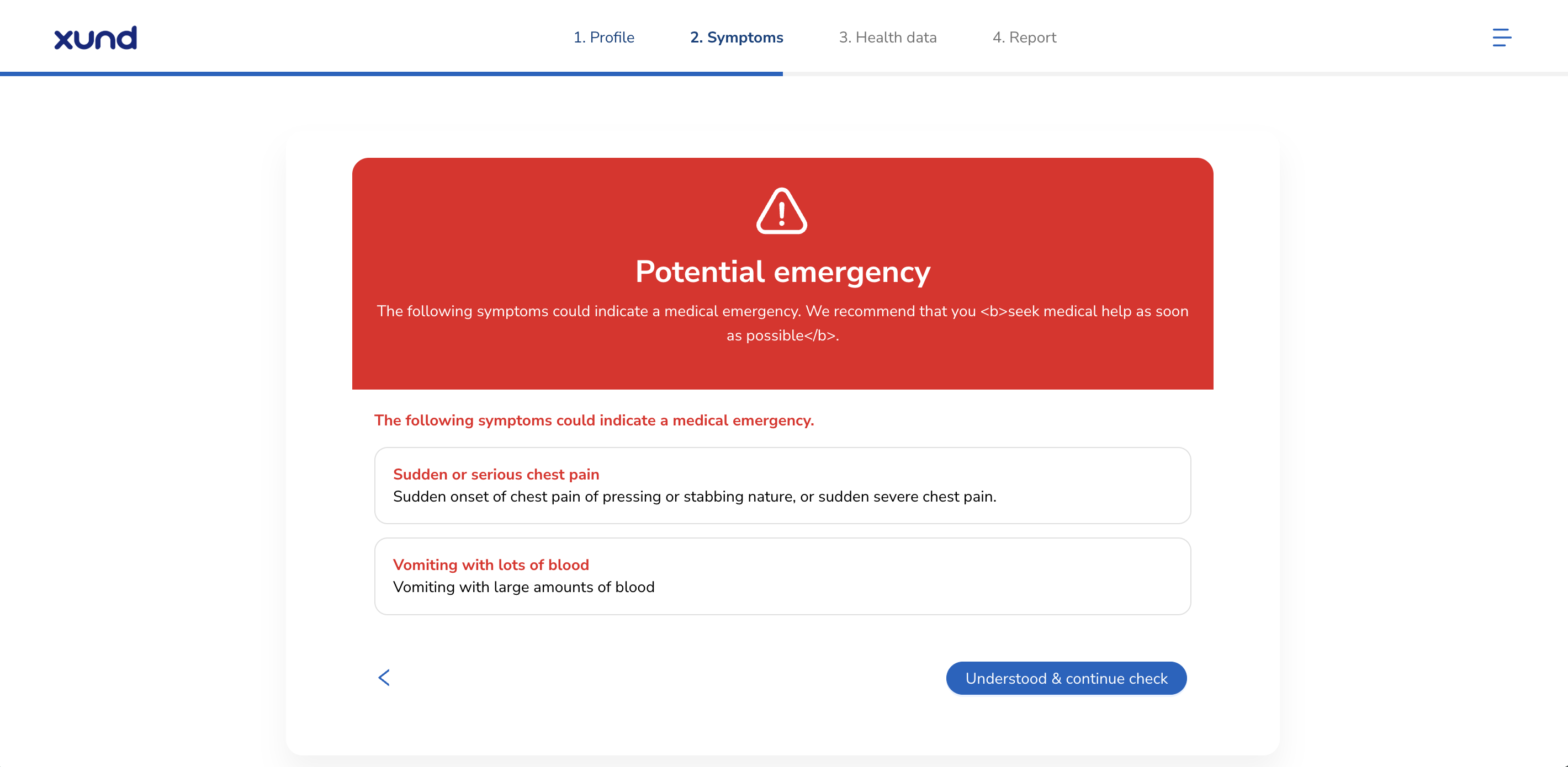
Safety Critical: Warning signs indicate potentially life-threatening conditions requiring immediate emergency attention (e.g., severe chest pain, coughing up blood).
-
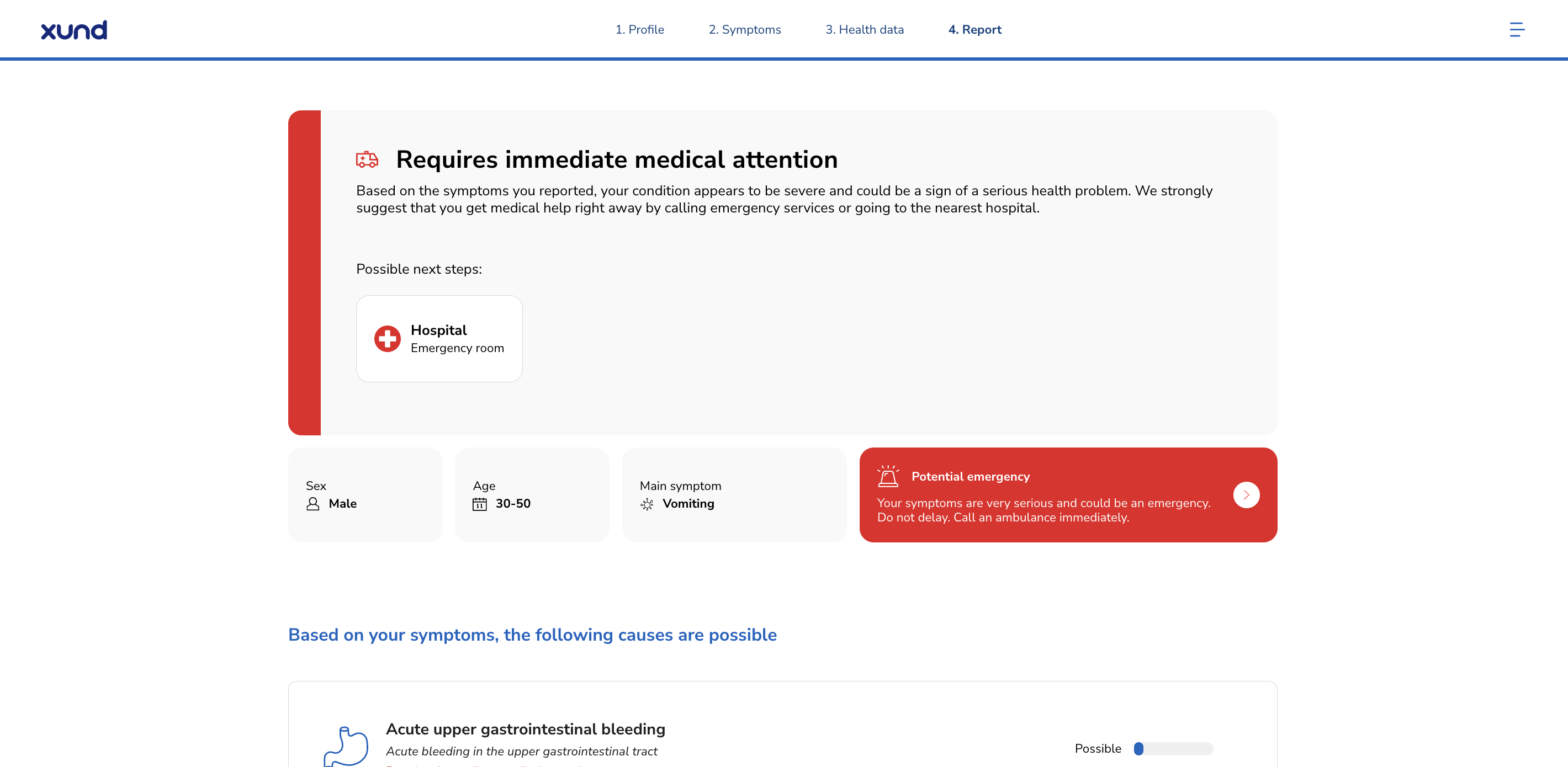
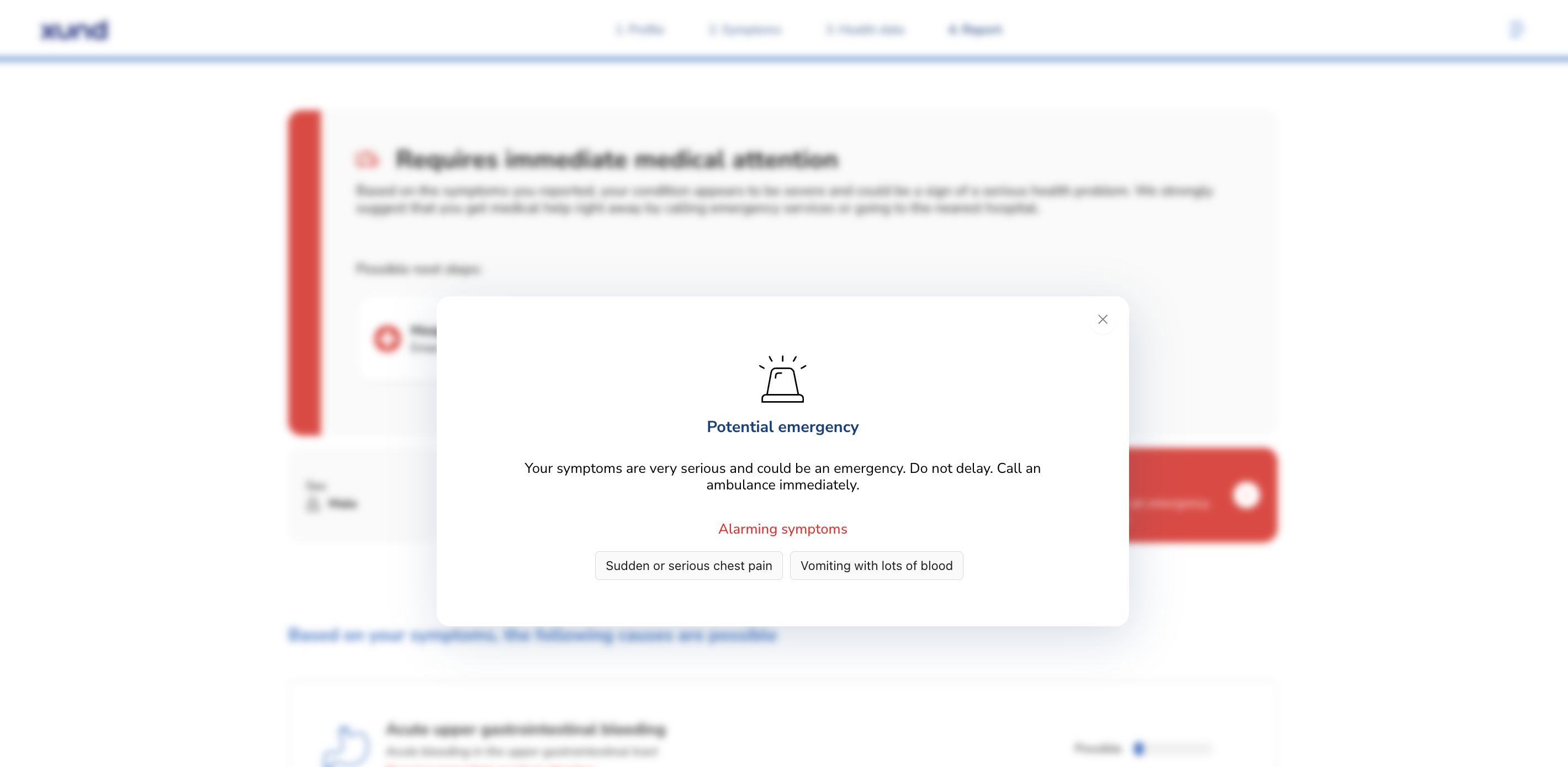
If a warning sign is triggered, the emergency notice must be displayed immediately within the checkflow as soon as it is returned by the API response.
-
The warning sign notice must also be prominently featured in the final summary report.
Results & Urgency Classification
General report principles:
-
Data Integrity: All condition results must be displayed as returned by the API. Partner applications must not alter the sorting order, highlight specific conditions, or hide any results.
-
Actionable Guidance:
-
Short Treatment Recommendations (“Things you can do in the meantime”) must be displayed for each condition.
-
Recommended Next Steps (triage/urgency guidance) must be clearly shown for each identified condition.
-
-
Interactions & Modals: Pop-ups and modal overlays providing quick solutions or expanded descriptions must be fully rendered without truncating content.
-
Medical Services Redirection: Integration must support routing users to localized care facilities (e.g., redirecting to a map provider or presenting the XUND specializations popup).
The report page must display all relevant (“must have”) information returned by the API without modifying the order, hiding items, or highlighting individual conditions outside of the parameters defined by the API.
Mandatory Fields for Symptom Check ("Must-Haves")
The UI must present the following elements at a minimum:
-
User Baseline Parameters:
-
Biological Sex
-
Age
-
-
Symptom Input Summary:
-
All selected symptoms (including the main symptom and all accompanying symptoms).
-
-
Condition Results (
illnessesarray):-
All illnesses returned in the array must be rendered. For each illness, the following parameters must be included:
-
name -
alternativeName -
description -
treatmentShortInfo(containingtext,textColor, andrecommendationtype):Note on Condition Urgency: This urgency classification applies specifically to the individual condition not the overall check outcome. It follows a traffic-light system:
-
Green: Can be treated at home.
-
Orange: Requires medical attention in the near future.
-
Red: Requires immediate medical attention.
-
-
quickSolutions(renderingnameanddescription). -
localSpezializations(medical service recommendations/specialties).
-
-
-
Overall Assessment Metadata & Legal:
-
Overall Urgency (
Urgency.level): For explanatory text accompanying the overall check outcome level, the exact wording from the XUND Web App must be used. (only applicable if Pre-Traige is enabled) -
Warning Signs: Complete display of all triggered warning sign notices.
-
Legal Information: All fields returned in the
legalsection. -
Reference Identifier: The unique
checkID.
-
Optional: Detailed information (“Thieme texts”)
If available and integrated, extended medical articles may be displayed alongside illness descriptions:
-
detailedDiagnosis -
detailedOutlook -
detailedOverview
Attribution Rule: If Thieme texts are rendered, the explicit phrase “Information provided by Thieme” must be visible.
Optional: Provide report as PDF
As an optional feature, the summary report can be fetched directly from the XUND backend in PDF format. This allows host applications to provide a downloadable document to the user, store the report for record-keeping, or forward it seamlessly into subsequent steps of the user journey, such as sharing it with a healthcare professional during a telemedicine consultation. For detailed technical instructions on how to request and fetch the PDF report endpoint, please refer to the API documentation.